Videogen Review – Introduction
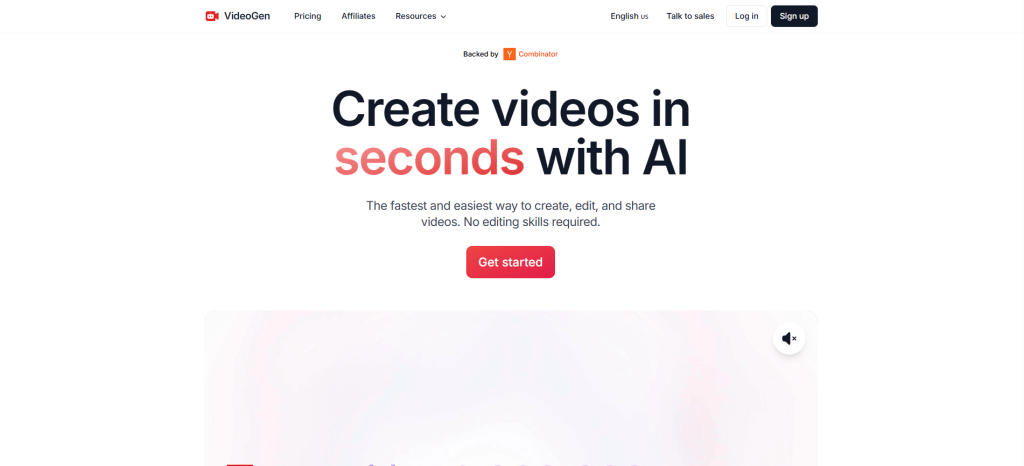
In this Videogen Review, we explore a groundbreaking AI-powered platform that revolutionizes how we create videos. Whether you’re a digital marketer, social media influencer, online educator, or small business owner, Videogen positions itself as the all-in-one tool that lets you craft polished videos in a matter of minutes—without hiring a video editor, voice-over talent, or animation specialist.
Videogen Review – Overview
Videogen is a cloud-based video creation tool that harnesses artificial intelligence to automate the most time-consuming parts of the video production process. From script generation to visual compilation and professional voiceovers, it covers every step you need to generate engaging videos—quickly and effortlessly.
It’s used by creators worldwide to produce content for YouTube, TikTok, Instagram Reels, online courses, ads, and more. The beauty of Videogen lies in its simplicity and power: a few words can become a finished video complete with voice narration, subtitles, transitions, and background music.
What Is Videogen?
Videogen is an AI-driven platform that allows users to create videos simply by entering a prompt or pasting a script. It then automatically generates a multi-scene video with accompanying visuals, voiceovers, subtitles, and effects. It removes the traditional barriers of video production, such as:
- Expensive editing software
- Voice-over recording and editing
- Stock footage licensing
- Manual subtitle generation
- Time-consuming rendering
With Videogen, all you need is an idea or a message—the platform does the rest.
Videogen Review – Features and Benefits
1. AI-Powered Script-to-Video Workflow
Videogen offers a simple process:
- Enter a short prompt or full script
- Let AI generate a storyboard, script, and narration
- Automatically match visuals with each scene
- Fine-tune with user-friendly editing tools
This automation saves hours of manual work.
2. Dynamic Voiceover System
With over 200 realistic voices available in more than 50 languages and regional accents, Videogen delivers voiceovers that sound impressively human. The tone, pacing, and pronunciation are adjustable, letting you choose the perfect fit for your content’s tone—be it professional, friendly, or upbeat.
3. Built-in Stock Library
You gain access to millions of royalty-free video clips and images directly within the platform. Simply type in keywords relevant to your content, and Videogen’s media search pulls the most suitable assets to match each scene.
4. Seamless Video Editing
Videogen’s scene-by-scene editor gives you the freedom to customize every aspect of your video:
- Upload your own images or videos (available in paid plans)
- Search and replace visuals
- Add music and sound effects
- Trim, split, or merge scenes
- Change text styles, font sizes, and colors
- Apply transitions and animations like zoom or fade
- Adjust subtitle positions, and add dynamic highlights
5. Export in High Quality
When your video is ready, export it in up to 4K resolution. While the free plan restricts downloads, Pro and Business tiers unlock full exporting capabilities and commercial usage rights.
How Does It Work?
Using Videogen is incredibly intuitive. Here’s the step-by-step process:
- Sign Up – Register using Google or email.
- Choose a Plan – Start with Free, or unlock more features with Pro or Business.
- Create Video – Enter a text prompt (e.g., “Create a motivational quote video”) or paste a script.
- Auto-Generate Video – Videogen generates scenes, selects visuals, adds voice narration and subtitles.
- Customize – Use the editor to tweak scenes, timing, animations, and design.
- Export and Share – Choose resolution, export your video, and share on your platform of choice.
This streamlined process enables even a complete beginner to produce content that looks studio-made.
Videogen Review – My Experience Using It
After extensively testing Videogen, the results were impressive. Creating a test project titled “Start an Online Business in 2025,” the platform delivered a compelling 60-second video in under 10 minutes.
The voice narration was surprisingly fluid and clear. Visuals selected by the AI matched the script context well. Editing options allowed for a high degree of customization—changing background music, replacing images, and tweaking subtitle fonts felt effortless.
The biggest strength? Speed. From idea to export-ready video, the entire production took minutes rather than hours.
A few quirks were noted, such as occasional mismatches between scenes and script tone, which were easily corrected with manual edits.
Videogen Review – REVIEW – OTO DETAILS
Here’s a breakdown of what each plan offers:
Free Plan
- Ideal for testing the platform
- Limited features
- Exporting and uploading media disabled
- Watermarked videos
- No access to premium templates
Pro Plan
- $24/month or $12/month (billed annually)
- 10,000 characters per video
- Upload your own content
- Access to all editing tools
- Commercial use license
- Full HD and 4K exports
Business Plan
- $149/month or $74/month (billed annually)
- 30,000 characters per video
- Dedicated support
- Advanced API access
- iStock media integration
- Custom avatars
- 500 GB cloud storage
These plans scale depending on your needs—from hobbyist to high-volume content creator.
Pros and Cons
Pros
- Lightning-Fast Video Generation – Complete projects in minutes
- Natural Voiceovers – Wide voice selection across languages
- Rich Visuals – Massive stock media library
- Browser-Based – No software downloads
- Beginner Friendly – Intuitive interface with smart AI suggestions
- Flexible Exports – Multiple resolutions for different platforms
- Commercial Rights – Monetize your content legally
Cons
- Exporting Requires Paid Plan – Free users can’t download videos
- Occasional Visual Mismatch – AI-selected visuals may need adjustment
- Scene Length Limitation – Less flexibility for long-format videos
- Voice Accuracy – Some names or industry terms may need manual edits
Who Should Use It?
Videogen suits a wide variety of users:
Best For:
- Social media creators
- Affiliate marketers
- YouTube influencers
- Educators and trainers
- Content agencies
- Ecommerce stores
- Freelancers offering video services
Not Ideal For:
- Full-time video editors needing Adobe Premiere-level control
- Teams working offline or needing custom integrations
- Filmmakers requiring ultra-fine control over motion and audio mixing
Videogen Review – Price and Evaluation
Videogen is aggressively priced, especially for what it offers. The Pro plan strikes a balance between affordability and function. For just a fraction of what you’d pay a freelance video editor, you gain unlimited use of a powerful creative tool. Even better, all content made with Pro or Business plans can be used commercially—ideal for YouTubers or digital marketers monetizing their output.
The Business plan is more geared toward agencies or advanced users who require extensive API usage, bulk creation, or avatar-driven personalization.
The Free tier, while limited, is an excellent playground for understanding how the platform works.
Conclusion
This Videogen Review clearly demonstrates the platform’s value: speed, quality, and ease of use. It eliminates the learning curve, reduces production cost, and enables anyone—regardless of background—to start making compelling videos. Whether you’re a freelancer building content packages, a startup founder promoting your product, or an educator launching a course, Videogen is a tool that can significantly multiply your productivity.
It’s more than just an AI video tool—it’s your new creative studio in the cloud.