Struggling to find an all-in-one AI platform that simplifies video and image creation without compromising on quality? Openart AI promises a powerful studio designed to unlock creativity for both beginners and seasoned professionals. Its advanced tools cover everything from AI video editing to image generation and lip-sync, offering a seamless experience that elevates your content creation process.
This Openart AI review will dive into key features such as intuitive AI video editing tools, cutting-edge AI image generation, and flexible pricing plans. Whether you aim to create cinematic videos or stunning images, this review will help you decide if Openart AI is the right AI content creation studio to meet your needs and creative goals.
What is Openart AI? A Comprehensive Overview
Openart AI is an innovative AI Creator Studio designed to empower users in crafting high-quality videos and images through advanced artificial intelligence tools. It combines intuitive interfaces with powerful AI models, enabling even beginners to produce professional-grade content effortlessly. Whether you’re creating cinematic videos or vivid images, Openart AI streamlines the entire creative process on its official website.
The platform offers core functionalities that cover video creation, image generation, character and world building, as well as audio production. Features like multi-angle camera control, motion synchronization, lip-sync for videos, and AI-driven image editing make it a comprehensive suite for content creators. For example, using its storyboard generator and motion sync tools, marketers can produce engaging promotional videos that align perfectly with their brand narrative.
Openart AI caters to a wide range of users — from content creators and digital marketers to artists looking for inspiration or assistance. Its versatility appeals to those who want to create eye-catching YouTube videos, dynamic advertising clips, or unique digital art pieces. If you are new to AI video tools, you might find it helpful to explore some exclusive deals to get started more affordably.

Key Features that Make Openart AI Stand Out
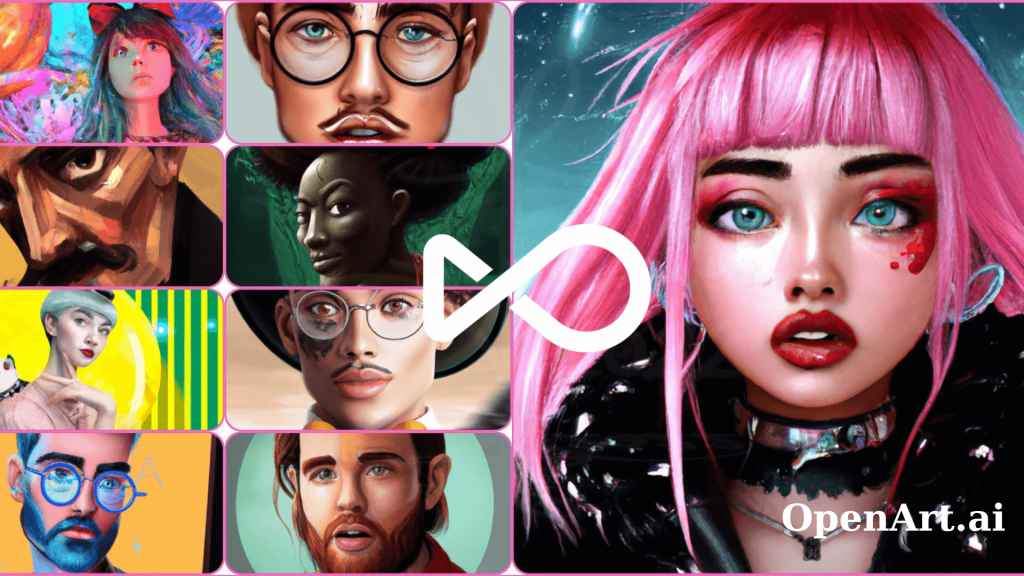
Openart AI excels with its cutting-edge GPT Image 2.0, which elevates text-to-image generation by producing visuals with readable text and cinematic-quality shots. This feature ensures each image is not only creative but also clear and professional-looking, perfect for storytellers and marketers who need impactful imagery.
Video editing is another standout aspect, especially with its advanced motion sync and lip-sync technology. This allows creators to produce videos where character animations align perfectly with spoken audio and movement, creating a seamless and engaging viewer experience. For instance, a YouTuber can easily generate a realistic talking avatar for their tutorials without traditional recording hassles.
The Smart Shot and Multi View capabilities further empower users by enabling storyboard creation and generating multiple camera angles from a single scene or image. This makes planning and visualizing video projects intuitive and dynamic, especially valuable for content creators aiming for professional-grade videos.
Adding to the audiovisual toolkit, Openart AI offers AI-powered audio features that generate natural-sounding voice-overs and original music compositions. This all-in-one approach to content creation saves time and enhances the creative workflow, making it ideal for businesses and creators who want to produce polished, multimedia projects efficiently.
If you’re curious about integrating these innovative features into your projects, it’s worth trying Openart AI free today to explore their collection and see how they can elevate your creative output.
Flexible Pricing and Subscription Plans Explained
When exploring OpenArt AI, understanding the flexible pricing and subscription plans is key to unlocking its full creative potential. The annual plans offer a compelling 50% discount, making it an excellent choice for users aiming to dive deep into AI-driven image and video creation without budget concerns.
The difference between monthly and annual subscriptions goes beyond just cost savings. Monthly plans provide flexibility for short-term projects, allowing creative exploration on demand, while annual plans maximize value by granting unlimited access to the entire suite of AI models, tools, and premium templates—perfect for content creators who rely on consistent output.
Each subscription tier includes access to powerful AI features such as advanced image generators, AI video editing tools, lip-sync capabilities, and a rich library of customizable templates. These resources empower users to create cinematic-quality videos, polished images, and unique animations effortlessly. For those considering getting started, it’s worth looking for exclusive deals to save a bit on your purchase.
| Features | Monthly Plan | Annual Plan (50% Off) |
|---|---|---|
| Full Access to AI Models | Yes | Yes |
| Templates and Tools | Included | Included |
| Priority Support | No | Yes |
| Ideal for Long-term Use | Moderate | Excellent |
All these options make OpenArt AI an effective AI content creation studio choice that fits various creative needs and budgets, whether you’re a beginner or a pro looking to streamline video editing and image generation with advanced AI.

Pros and Cons Based on User Experience
Openart AI impresses users with its powerful AI models that produce vibrant, cinematic-quality videos and images. The intuitive interface allows creators of all levels to navigate complex tools with ease, which is a significant advantage for beginners and professionals alike. Additionally, the platform offers versatile creative tools, including advanced lip-sync, multi-camera angle generation, and seamless video editing, supporting diverse content needs from storytelling to marketing.
On the flip side, users have noted a learning curve when accessing Openart AI’s more advanced features, such as motion sync and storyboard generation. While initially challenging, this complexity translates into greater creative control once mastered. Occasional processing delays can occur during high-demand periods, but these are generally brief and outweighed by the final output quality.
Openart AI continuously evolves by incorporating user feedback, regularly updating its AI models and interface enhancements to improve speed and usability. This commitment is evident in the steady rollout of new features, reflecting a responsive development approach that benefits content creators. If you want to explore the full potential of Openart AI or check out their subscription plans, it’s wise to grab a deal before it expires to save on your purchase.
How to Use Openart AI for Effortless Video and Image Creation
Getting started with Openart AI is simple and rewarding. Begin by setting up your first project on their intuitive platform, where you can choose to create images or videos using clear prompts. This straightforward setup ensures you’re ready to unleash your creativity without hassle.
Openart AI’s key tools are designed for ease and efficiency. Use the Text to Video feature to transform written prompts into dynamic videos quickly. The Lip-Sync tool perfectly aligns character mouth movements to your audio tracks, enhancing realism in animation. For visuals, the Image Editing tool allows precise adjustments and enhancements, ensuring your creations look polished and professional.
To create cinematic videos and maintain consistent character visuals, leverage Openart AI’s advanced models like ChatGPT Image-2. These enable smooth scene transitions and character continuity, making your projects look cohesive and engaging throughout. Whether crafting marketing content or artistic pieces, these tips help you deliver high-quality results easily.
Ready to bring your ideas to life? Start creating your masterpiece with Openart AI now! For tips on making the most of AI video editing tools, you might want to check exclusive deals to save on your purchase and enhance your creative journey.
Who Should Consider Openart AI? Ideal Users and Use Cases
Openart AI is a versatile platform that serves a wide range of users, from beginners to professionals. For beginners, it offers an intuitive interface with user-friendly AI tools that simplify content creation, making it easy to produce engaging images and videos without steep learning curves. For example, newcomers can create compelling visuals and short videos quickly, ideal for personal projects or starting creators.
Professional creators benefit from Openart AI’s advanced multimodal capabilities, such as Smart Shot for storyboarding and Multi View for generating multiple camera angles from a single scene. These features streamline complex video productions and provide greater creative control, perfectly suited for filmmakers and digital artists seeking cutting-edge AI video editing tools and image generation software.
Businesses and marketers can leverage Openart AI’s efficient video production features, including AI-powered voice-over and music generation, to craft polished promotional content swiftly. This makes it a powerful asset for social media campaigns, advertising, and brand storytelling without the need for large production teams.
If you want to explore a broader range of options, you might want to check out the best AI tools for content creators to find exclusive deals and save on your purchase.
Overall, Openart AI offers a dynamic mix of simplicity and sophistication, making it a smart choice no matter your level or project type. You can check out the official website to explore their collection and pricing plans tailored to your needs.
Before you make your final decision, it might be worth checking if there are any active deals or discount codes available — a little extra savings never hurts.