
Managing multiple remotes for your home theater can quickly become overwhelming, especially when devices from different brands don’t sync smoothly. If you want a universal remote that blends user-friendly design with powerful capabilities, a sofabaton review could be just what you need.
This article explores the Sofabaton universal remote’s compatibility, highlights popular models like the X2 and X1S, breaks down pricing options, and walks you through user experience and setup tips. By the end, you’ll have a clear picture of whether this remote is the ultimate choice to simplify your home theater control.
The Sofabaton universal remote stands out through its versatile product lineup tailored to different user needs. The X2 model suits advanced home theater setups with multiple devices and smart-home integration. The X1S offers streamlined control for multi-device living rooms, while the U3 is designed for simpler, everyday remote control needs. Each model provides a unique balance of features targeting different levels of complexity. When it comes to sofabaton compatibility, these remotes cover leading brands like Sony, Samsung, Apple TV, Xbox, and many others. This wide compatibility ensures that users can consolidate various devices — TVs, streaming players, soundbars, and gaming consoles — under one remote, simplifying entertainment system management without juggling multiple controllers. Another key strength is Sofabaton’s integration with smart-home systems and its companion app. Through the app, users can easily customize commands, group devices into activities, and even control devices remotely via smartphone. This level of flexibility not only enhances convenience but makes it easier to create automated routines and environment moods, such as dimming lights when starting a movie. If you’re interested in streamlining all your entertainment controls, you can explore their collection to find the perfect model for your setup.
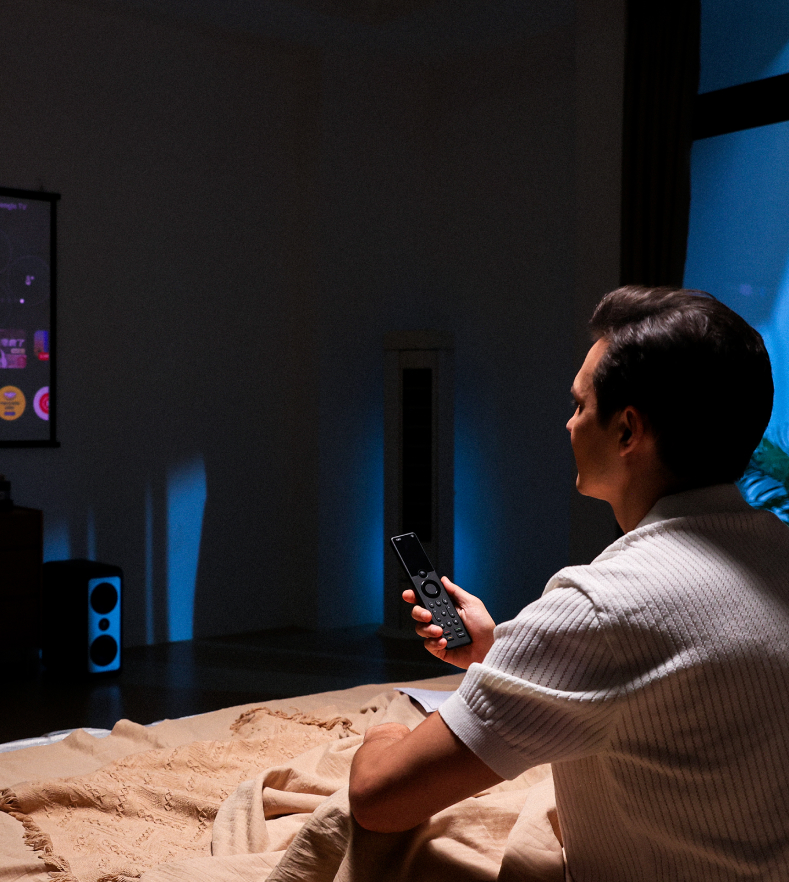
Sofabaton remotes stand out through key features that significantly enhance user experience, particularly in the X2 and X1S models. Both offer touchscreen interfaces with vibrant color displays paired with haptic feedback, delivering tactile confirmation with every swipe or command. This feature creates a more intuitive and responsive control feel, making navigation smoother and more engaging compared to traditional remotes. The activity-based control system is another major highlight. It simplifies complex home entertainment setups by allowing users to switch between devices and routines with a single tap. For example, activating a “Movie Night” routine powers on the TV, receiver, streaming device, and even adjusts lighting if integrated—streamlining multi-device management effortlessly. Battery longevity and convenient charging solutions also set Sofabaton apart. The X2 comes with a sleek charging dock enabling quick, hassle-free recharging, while the X1S and U3 models offer solid battery life though may require more frequent charging. Here’s a quick comparison of their strengths and weaknesses: Each model targets different user needs, from the high-end X2’s comprehensive control and convenience, to the straightforward functionality of the U3. To pick the one that fits your setup best, it is worth exploring the official website for detailed specs and compatibility. Also, you might want to check if there are any exclusive deals that could help you save on your purchase.
When considering whether the Sofabaton universal remote is worth the investment, understanding its pricing tiers and discount opportunities is key. The Sofabaton X2, designed for advanced home theaters, typically carries a premium price reflective of its comprehensive features and build quality, while the more budget-friendly X1S suits multi-device living rooms and offers solid value. Periodically, the official website offers discounts on both models, such as notable savings on the X2 and X1S, which can significantly enhance their affordability. To grab the best price, it’s wise to check for exclusive deals and latest discount codes before making a purchase. Sofabaton’s customer-friendly return policy adds peace of mind, allowing returns within a reasonable timeframe if the remote doesn’t meet expectations. Alongside this, customer support is noted for its responsiveness and helpfulness, assisting users smoothly through setup and troubleshooting. Many users praise how quickly Sofabaton’s team addresses queries, making the entire experience less stressful, especially for those new to universal remote configuration. In terms of long-term value, Sofabaton excels with broad compatibility spanning TVs, soundbars, streaming devices, and smart home equipment, simplifying the control of complex setups. The easy-to-follow remote setup process—backed by detailed guides and an intuitive app—means less time spent programming and more time enjoying the convenience. Combined with durable build quality and thoughtful features like charging docks and customizable activities, Sofabaton remotes offer excellent longevity. For anyone looking to streamline their entertainment space, these remotes often justify their investment by replacing multiple devices and enhancing everyday user experience. For current pricing and exclusive offers, check current Sofabaton prices and offers to ensure you get the best deal.
Setting up your Sofabaton universal remote starts by installing the official Sofabaton remote app on your smartphone. This step is crucial as the app serves as the central hub for pairing and managing all your devices seamlessly. Once the app is installed, open it and begin adding your home entertainment devices one by one—be it your TV, soundbar, gaming consoles, or streaming boxes. The intuitive pairing process walks you through connecting each device via Bluetooth or Wi-Fi, ensuring strong compatibility across popular brands. For example, pairing your Sony TV or Samsung soundbar is straightforward thanks to the comprehensive device database. After connecting your devices, customizing your activities and commands is where the real magic happens. Sofabaton allows you to create personalized activities—such as “Watch Movie” or “Gaming Mode”—that execute a series of commands with a single button press. This means your TV powers on, inputs switch, and sound settings adjust automatically. For instance, you can set an activity to dim your smart lights and close blinds along with turning on all your home theater equipment, tailoring the experience exactly to your preferences. If you encounter any hiccups during setup, common troubleshooting steps usually resolve them quickly. Ensure your devices are within range and your smartphone’s Bluetooth and Wi-Fi are active. Restarting the app or remote often fixes minor glitches. Also, check that your Sofabaton remote firmware is up to date via the app to avoid compatibility issues. For detailed guidance, you may want to consult the sofabaton remote setup guide. Ready to simplify your home entertainment control? Get started with your Sofabaton remote now and enjoy a smoother, more intuitive experience.
The Sofabaton universal remote is an excellent choice for households managing multiple devices, smart-home enthusiasts, and home theater aficionados who crave seamless control. If your living space has numerous entertainment devices or smart home components, a Sofabaton remote consolidates commands into one intuitive interface, reducing clutter and confusion. For simpler setups, the Sofabaton U3 remote offers straightforward usability and supports essential devices, making it ideal for casual users or smaller living rooms. In contrast, the Sofabaton X2 remote specializes in complex home theaters and smart-home integrations, accommodating multiple activities, hidden equipment, and extensive device compatibility. This makes it perfect for those seeking premium customization and automation features. Real users praise Sofabaton remotes for their build quality, expansive device support, and user-friendly app-based setup. For instance, one reviewer highlighted the X2’s ability to turn on the TV, receiver, and streaming device with a single swipe, while also adjusting lighting and room ambiance automatically—creating a truly immersive movie experience. Another user appreciated how easily the remote replaced multiple controllers, providing a sleek and efficient control hub for all entertainment needs. If you’re curious about how Sofabaton remotes compare to other top universal options, especially for home theaters, feel free to explore our detailed top universal remotes for home theater. Also, before purchasing, you might want to check out any exclusive deals and discount codes to get the best value. For officially detailed features and purchasing options, visit the official website and explore their collection tailored to your home entertainment setup.
Before you make your final decision, it might be worth checking if there are any active deals or discount codes available — a little extra savings never hurts.What Makes Sofabaton Universal Remote Stand Out?
Key Features of Sofabaton Remotes and How They Enhance User Experience
Feature
Sofabaton X2
Sofabaton X1S
Sofabaton U3
Touchscreen Interface
Full color + haptic feedback
Monochrome + haptic feedback
No touchscreen
Activity-Based Controls
Advanced, customizable
Basic activity setups
Limited activities
Charging Method
Charging dock included
USB charging cable
USB charging cable
Battery Life
Up to 3 weeks per charge
About 2 weeks per charge
Around 2 weeks per charge

Pricing, Discounts, and Value: Is Sofabaton Worth the Investment?
Setting Up Your Sofabaton Remote: A Step-by-Step Guide
Who Should Consider Buying a Sofabaton Universal Remote?

